
A Stencil AI alternative with a free stencil maker
Stencil AI is a well-made, paid AI stencil app with phone apps and a strong following among artists. This page compares it with Tattoo Stenciler on what each one does, so you can pick the tool that fits how you work.
Updated 16 November 2026
The short answer
If you want an AI stencil app on your iPhone or Android phone with a full-screen session mode and multi-artist seats, Stencil AI is built for that, and its site says over 5,000 artists use it. If you want to start free, print true to size from the first stencil, or work from ready-made designs as well as photos, Tattoo Stenciler covers that on the web, with AI line styles as a paid option for the photos that need them.
Both tools are honest about what AI is for: faces, fur and busy photos that classic tracing cannot handle. Neither one is the better choice for every artist.
Side by side
Stencil AI facts come from its home page and pricing page, as published on 16 November 2026. Prices are in US dollars. Plans change, so check their site before you decide.
Free use
- Stencil AI
- No free plan. A one-time starter pack of 5 credits costs $0.99, and the credits never expire.
- Tattoo Stenciler
- Free stencil maker in the browser with no account, no watermark and no limit (Classic engine). AI is paid.
Paid plans
- Stencil AI
- Hobby $14/month (20 credits), Pro $29/month (100), Studio $69/month for 2 artists (120 each, +$25 per extra artist). Yearly: 2 months free.
- Tattoo Stenciler
- Artist $19.90/month (80 AI stencils); Pro $39.90/month (250 AI stencils); Starter pack $4.90 once (10, never expire).
AI styles
- Stencil AI
- Outline, Standard and Hatching. Hobby has Outline and Standard; Hatching is on Pro and Studio.
- Tattoo Stenciler
- Outline, Detailed and Shading guide, all three on every plan and pack.
Printing
- Stencil AI
- Exact-size print and print-ready PDF/JPG; true-size and multi-sheet print are listed on Pro and up. Named support for Phomemo, OZER, Brother and Epson EcoTank.
- Tattoo Stenciler
- True-size PDF on the free tier: A4, Letter, A3, Tabloid, Thermal 4×6 and 80 mm roll, mirror, 5 cm check bar, tiled across up to 25 sheets.
Editing
- Stencil AI
- Retouch editor with pressure-sensitive brushes (Apple Pencil), tap to remove fill, tone curves, recolor, transparent background, warp to body (Pro).
- Tattoo Stenciler
- Touch-up with photo underlay: brush, eraser, clear fill, lighten, darken. Ink colours and line weight; PNG and SVG export.
At the chair
- Stencil AI
- Tattoo Mode: a full-screen viewer that keeps the screen awake and switches between stencil, photo and overlay.
- Tattoo Stenciler
- Session view: the last stencil full screen with photo, stencil or overlay and the screen kept awake, stored on the device.
Ready-made designs
- Stencil AI
- Not offered; the app converts your photos.
- Tattoo Stenciler
- A free gallery of printable stencil designs by subject and style, plus flash sheet, lettering and design generators.
Platforms
- Stencil AI
- Web, iOS and Android apps.
- Tattoo Stenciler
- Web only, installable to the home screen on phones, tablets and computers.
Blocked or failed runs
- Stencil AI
- No credit used when the safety filter blocks a conversion.
- Tattoo Stenciler
- Never charged when the AI declines, fails, or the lines fail the print checks.
Refund
- Stencil AI
- 30-day money-back guarantee on paid plans.
- Tattoo Stenciler
- Full refund within 14 days on every payment, plan, renewal or pack.
| Stencil AI | Tattoo Stenciler (this site) | |
|---|---|---|
| Free use | No free plan. A one-time starter pack of 5 credits costs $0.99, and the credits never expire. | Free stencil maker in the browser with no account, no watermark and no limit (Classic engine). AI is paid. |
| Paid plans | Hobby $14/month (20 credits), Pro $29/month (100), Studio $69/month for 2 artists (120 each, +$25 per extra artist). Yearly: 2 months free. | Artist $19.90/month (80 AI stencils); Pro $39.90/month (250 AI stencils); Starter pack $4.90 once (10, never expire). |
| AI styles | Outline, Standard and Hatching. Hobby has Outline and Standard; Hatching is on Pro and Studio. | Outline, Detailed and Shading guide, all three on every plan and pack. |
| Printing | Exact-size print and print-ready PDF/JPG; true-size and multi-sheet print are listed on Pro and up. Named support for Phomemo, OZER, Brother and Epson EcoTank. | True-size PDF on the free tier: A4, Letter, A3, Tabloid, Thermal 4×6 and 80 mm roll, mirror, 5 cm check bar, tiled across up to 25 sheets. |
| Editing | Retouch editor with pressure-sensitive brushes (Apple Pencil), tap to remove fill, tone curves, recolor, transparent background, warp to body (Pro). | Touch-up with photo underlay: brush, eraser, clear fill, lighten, darken. Ink colours and line weight; PNG and SVG export. |
| At the chair | Tattoo Mode: a full-screen viewer that keeps the screen awake and switches between stencil, photo and overlay. | Session view: the last stencil full screen with photo, stencil or overlay and the screen kept awake, stored on the device. |
| Ready-made designs | Not offered; the app converts your photos. | A free gallery of printable stencil designs by subject and style, plus flash sheet, lettering and design generators. |
| Platforms | Web, iOS and Android apps. | Web only, installable to the home screen on phones, tablets and computers. |
| Blocked or failed runs | No credit used when the safety filter blocks a conversion. | Never charged when the AI declines, fails, or the lines fail the print checks. |
| Refund | 30-day money-back guarantee on paid plans. | Full refund within 14 days on every payment, plan, renewal or pack. |
Free Classic and paid AI on the same photo
Examples of our AI line style, made with GPT Image 2 in ChatGPT. Left the reference, middle the free in-browser Classic stencil with default settings, right the AI line style.
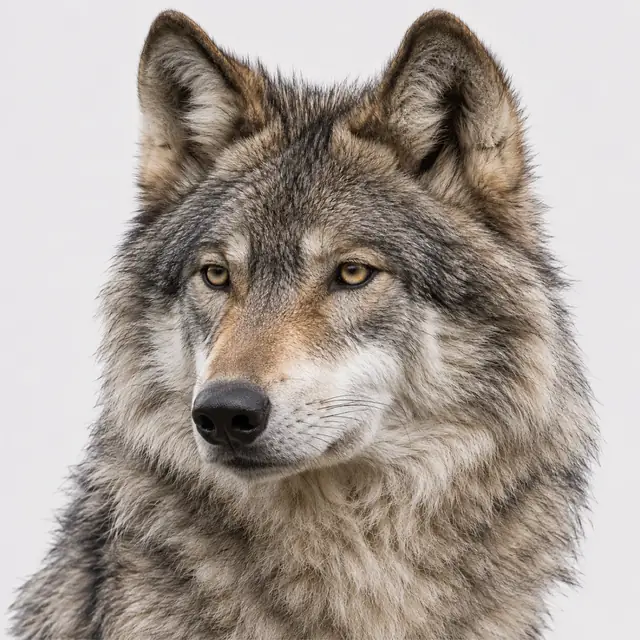
PhotoWolf 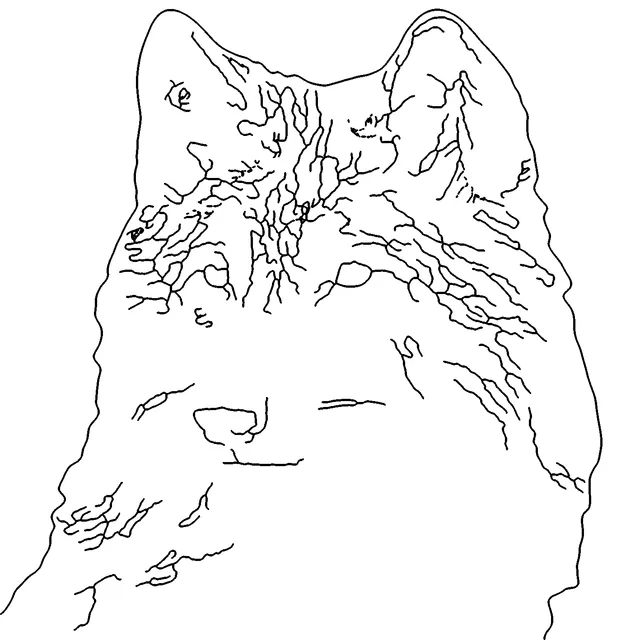
ClassicFree, on your device 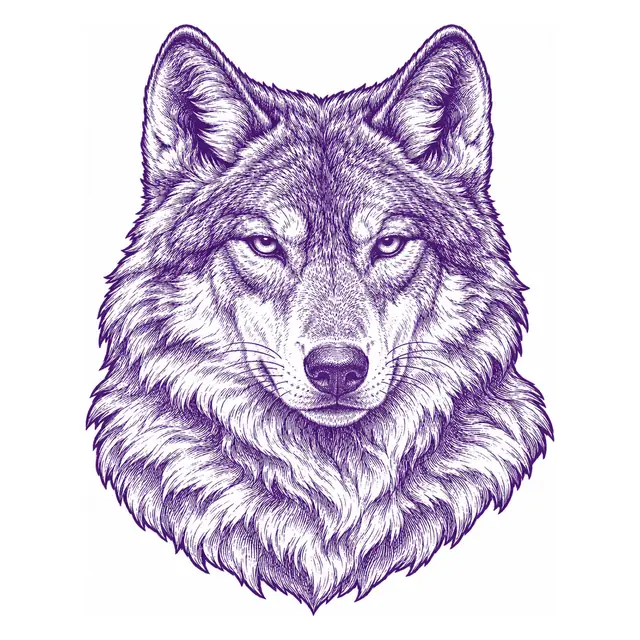
AI line styleStudio plan or pack 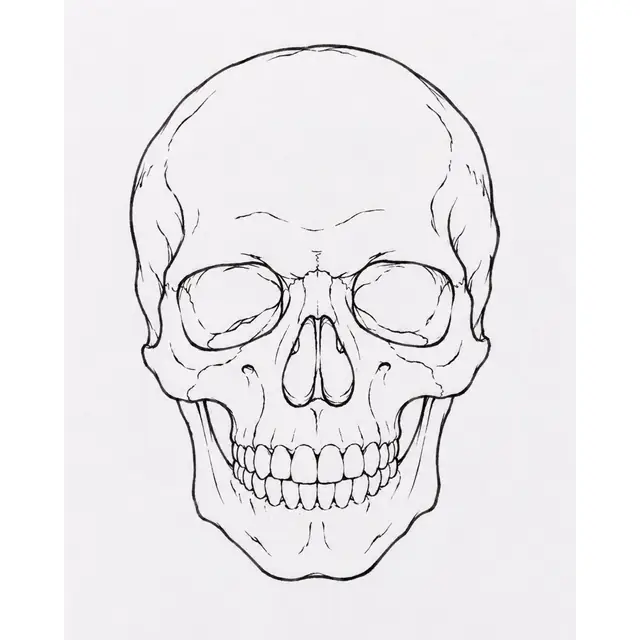
PhotoSkull 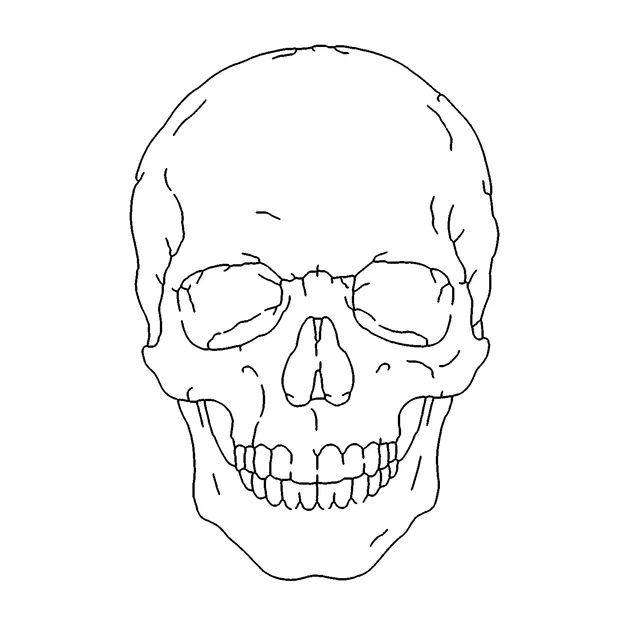
ClassicFree, on your device 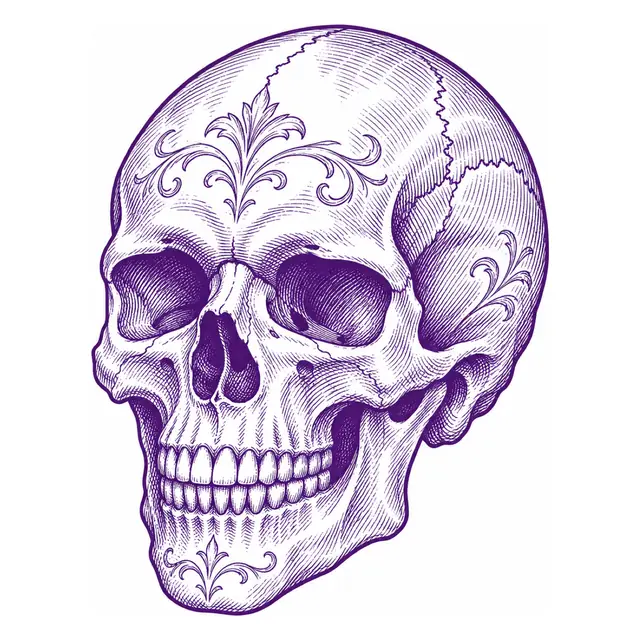
AI line styleStudio plan or pack


Where Stencil AI is strong
- Native phone apps. iOS and Android apps with Apple Pencil support in the retouch editor. If you draw on an iPad all day, that matters.
- Tattoo Mode. A polished full-screen viewer for the session, with per-layer brightness and contrast.
- Shops with several artists. The Studio plan adds seats and a team dashboard.
- Extras for finished art. Warp to body, recolor and a 4K upscale on Pro.
- A longer refund window. 30 days on paid plans, against our 14.
What we do differently
- A free tier that does the whole job. The Classic stencil maker runs in your browser, needs no account, adds no watermark and never uploads your photo. For drawings, lettering, flash and clear photos it is often all you need.
- True-size printing for everyone. The 5 cm check bar, mirror, thermal paper sizes and large designs tiled across sheets are part of the free maker, not a higher plan. See how to print a tattoo stencil.
- Designs, not only conversions. A free gallery of printable stencils, a flash sheet maker and lettering tools for when you do not have a photo to start from.
- All three AI styles on every plan. Shading guide is not held back for a higher tier. AI runs on GPT Image 2 and you get its lines as they come back, with the free Classic version next to them for comparison.
- A transfer check. The editor flags lines that are too thin or too close to survive at the size you chose, before you print.
How to choose
Take one photo you would actually tattoo, a portrait or a pet works best, and run it through both. Stencil AI costs $0.99 for 5 credits; here the Classic result is free and an AI run is part of the Starter pack or a plan. Print both at the same size, transfer them on practice skin, and keep the one that needs less fixing. The portrait stencil guide shows the kind of photo that separates the two approaches, and the comparison of free stencil makers covers the other options.
Stencil AI is a trademark of its owner. This site is not affiliated with it, and the comparison is updated when either product changes.
Next steps
Questions
Is there a free alternative to Stencil AI?
Yes. The stencil maker on this site is free in your browser with no account and no watermark, and it prints true to size across several sheets. Its free Classic mode traces edges rather than redrawing with AI, so it suits drawings, lettering and clear photos best.
Does this site also have AI stencils?
Yes, as a paid option. The AI line style redraws a photo in Outline, Detailed or Shading guide. It is part of the Studio plans (Artist $19.90 a month and Pro $39.90 a month) or a one-off Starter pack of 10 for $4.90. Refused or failed runs are never charged.
Does Stencil AI have a free plan?
Not as of 16 November 2026. Its website offers a one-time starter pack of 5 credits for $0.99 and paid plans from $14 a month. Check stencilai.app for current terms.
Which one is better for a professional artist?
It depends on your setup. Stencil AI has native iOS and Android apps, a full-screen Tattoo Mode and multi-artist seats. This site is web-only, has a free maker, a printable design gallery, flash sheets and true-size printing on the free tier. Try both on the same photo before you pay.